
Army Commander Tycoon: Capture Success Announcements
Learn which Army Commander Tycoon announcements confirm a captured point, warn that a held point is under attack, or report its loss.
In Army Commander Tycoon, sending your army out to objectives is part of the capture loop. The game confirms a successful result — when a capture completes, an announcement like "Point secured." or "Objective taken. Good work, commander." tells you the point is now yours.
Here are the capture announcements and the lines that warn you when one of your points is in trouble.
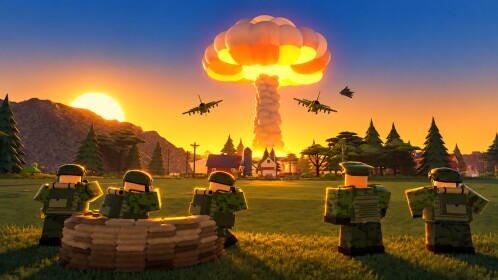
Strategic points and your army
Capturing strategic points across the map is part of Army Commander Tycoon alongside building and upgrading your military base, recruiting troops, and unlocking units such as infantry, tanks, artillery and helicopters. Your army fights enemy forces and pushes for objectives.
If you're still building up, the beginner guide covers the early game, and the units list introduces the named force families.
How to know the capture actually succeeded
You don't have to guess. The game announces finished captures with voice lines such as:
- "Point secured."
- "Objective taken. Good work, commander."
Either of these is the confirmation that an objective was taken. Two practical notes: the exact wording can vary slightly, and you may not hear both lines for the same capture — so treat any "secured" or "taken" announcement after your push as the game telling you the point is yours.
Army Commander Tycoon gameplay: capturing strategic points
When one of your points is under attack
Captures don't stick forever. Points you hold can come under enemy attack and be taken away. The game has separate announcements for an attack and a loss:
- Warning: "One of our points is under attack." — a point you hold is being hit.
- Loss: "We've lost the point, commander." — the enemy took it. Variants like "We've lost a point, commander" and "The objective is lost" can play too.
The warning line is the one to react to: it reports an attack on a held point, while the loss lines report that you no longer control a point.
Capture signals at a glance
| What's happening | What the game says | What it means |
|---|---|---|
| Capture completes | "Point secured." / "Objective taken. Good work, commander." | The strategic point is now yours |
| Held point attacked | "One of our points is under attack" | Enemy forces are hitting a point you hold |
| Point lost | "We've lost the point, commander." (variants like "The objective is lost") | You no longer control that point |
Listen for the "secured" announcement to recognize a completed capture, and respond quickly when the under-attack warning comes in. For more on fighting effectively, see the battle guide, and check the latest codes before your next push.