
Army Commander Tycoon Vehicles: Land and Air Units and How They Differ from Troops
Army Commander Tycoon's lineup spans tanks, helicopters, aircraft and more — plus what driving a buggy lets you do, and how vehicles differ from recruited troops.
Army Commander Tycoon's army goes well beyond foot soldiers. The official game description says you unlock "infantry, tanks, artillery, helicopters and more" as you grow a small outpost into a war machine — so the vehicle lineup covers land hardware such as tanks, air power such as helicopters and aircraft, and artillery support. Just as important for planning your army: the game treats this hardware as a separate acquisition line from the troop types you recruit.
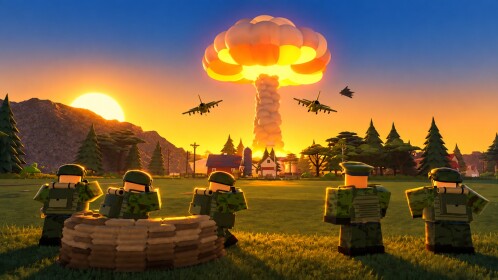
Land and air vehicles in the game
The official description and feature list name these vehicle categories:
- Land vehicles — tanks, plus a broader "vehicles" entry in the feature list ("Unlock tanks, vehicles and aircraft"), so tanks are only part of the ground hardware.
- Air vehicles — helicopters, with aircraft listed as its own thing alongside them.
- Artillery — named in the unlock sentence right next to tanks and helicopters, as part of the hardware you unlock while expanding.
The official description stops at these category names and doesn't enumerate individual vehicle models. To see how vehicles compare with the rest of the roster, check the Army Commander Tycoon units list, and for a closer look at each hardware side, the tanks and aircraft pages break down those categories.
How vehicles differ from ordinary troops
The game's feature list splits its content into two distinct lines:
- "🪖 Recruit powerful troop types" — your infantry.
- "🚙 Unlock tanks, vehicles and aircraft" — your hardware.
So troop types and vehicles aren't one shared pool of units: troops are recruited, while tanks, helicopters, aircraft and the rest are unlocked as you build up your base. In practice your army becomes a mix of the two.
Vehicles also behave as fielded hardware in battle, not background dressing. In one battle, the game announced its own vehicle losses with dedicated callouts — "Vehicle down" and "We just lost a vehicle" — separate from point captures and base-attack warnings, and it reported enemy forces by category too, with "Enemy armor sighted" and "Enemy aircraft" as distinct announcements. In other words, your vehicles are units that can be destroyed while points change hands, and enemy armor and air threats are their own things to watch for rather than generic infantry.
Driving a buggy: what it lets you do
One concrete example from gameplay shows what a vehicle can do once you're in it. A player drove a buggy and could choose either role in it: getting out on foot or taking the gunner position instead of driving. That's a bounded example of the buggy in that sequence, not a stated rule for every vehicle in the game — but it shows the vehicle line isn't just cosmetic hardware: you can get inside, drive it yourself and switch to shooting from it. The battle guide covers how these fights unfold.
Vehicle gamepasses in the store
Beyond the unlockable lineup, the game's Roblox store sells 33 gamepasses, and many of them carry vehicle names:
| Gamepass | Price |
|---|---|
| Battle Mech | R$ 1,499 |
| AC-130 Spectre | R$ 1,499 |
| Stealth Bomber | R$ 1,299 |
| Gunship | R$ 999 |
| Battleship | R$ 999 |
| Drone Swarm | R$ 799 |
| Jetpack | R$ 699 |
| Hovercraft | R$ 499 |
| Rocket Barrage Launcher | R$ 399 |
| Personal Jeep | R$ 349 |
These listings show only names and Robux prices. They don't state what each pass grants in game, and a vehicle-themed label isn't by itself confirmation of a usable vehicle — so read a pass's description in the in-game store before spending Robux.
Where vehicles fit in your run
Vehicles come out of the same loop as everything else: build and upgrade your base, keep your income growing, and spend it unlocking new troops and hardware. The beginner guide walks through that loop from the start, the income guide helps you fund the bigger unlocks, and a quick check of the latest codes never hurts while you're saving up.